


A gaming keyboard and mouse are usually the most prioritized peripherals in any gaming setup, and for good reason, they directly affect your performance more than most other components. Picking the right keyboard, especially on a budget, can make a noticeable difference without breaking the bank.
Budget options have improved significantly over the years, with plenty of keyboards now offering solid build quality and reliable performance at low to medium price points. The list we put together covers a variety of layouts, ranging from 60% to TKL, to fit different preferences and desk setups.
In this article, we’ll be going over some of the best budget gaming keyboards on the market right now, covering a range of form factors and price points to help you find the right fit.
Logitech G413 SE
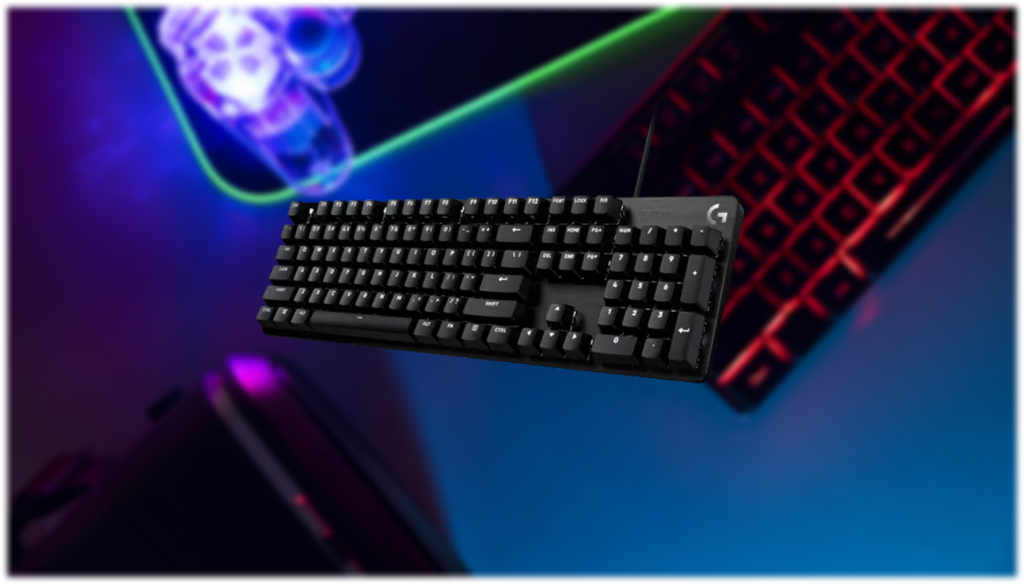
The Logitech G413 SE is a budget mechanical keyboard priced at $79.99. It features tactile mechanical switches, PBT keycaps, 6-key rollover anti-ghosting, a brushed aluminum top case with white LED lighting, and 12 FN media control keys. A TKL version is also available under the name G413 TKL SE.
The most common complaint about this keyboard is the lack of software support. For a brand like Logitech, it’s surprising that the G413 SE doesn’t support G Hub or any software at all, meaning there’s no way to remap keys or configure macros.
SteelSeries Apex 3 TKL
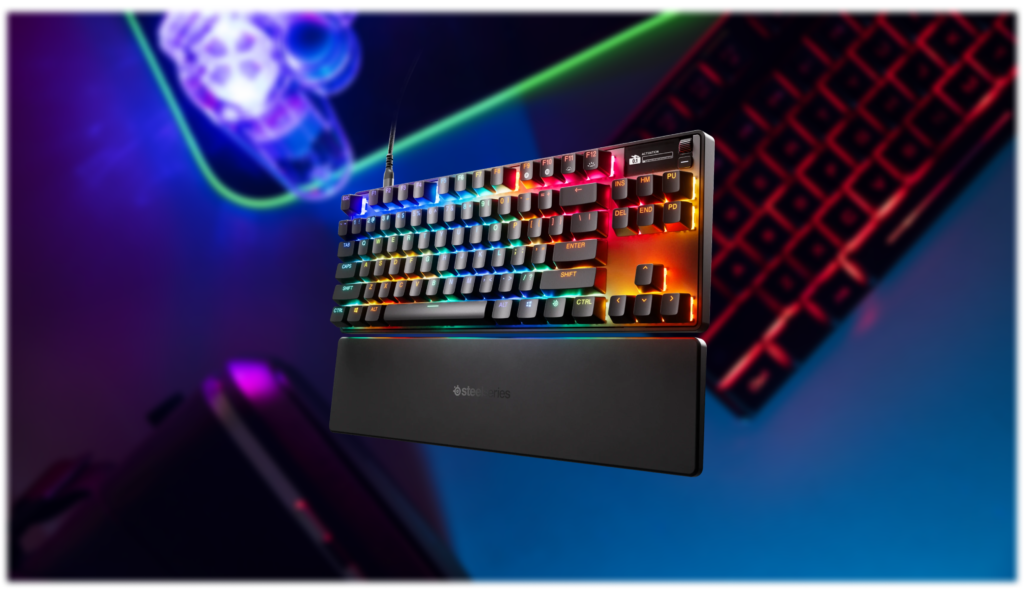
The SteelSeries Apex 3 TKL is priced at $45 and comes in a TKL layout. It features SteelSeries’ Whisper-Quiet membrane switches, 8-zone RGB lighting, IP32 water and dust resistance, anti-ghosting, and a clickable volume roller with dedicated media keys.
The most common complaint is the switches themselves. Despite being marketed as a gaming keyboard, the Apex 3 TKL uses membrane rather than mechanical switches, which is a dealbreaker for some people at this price point, especially when mechanical options are available nearby in price.
Redragon K556 PRO
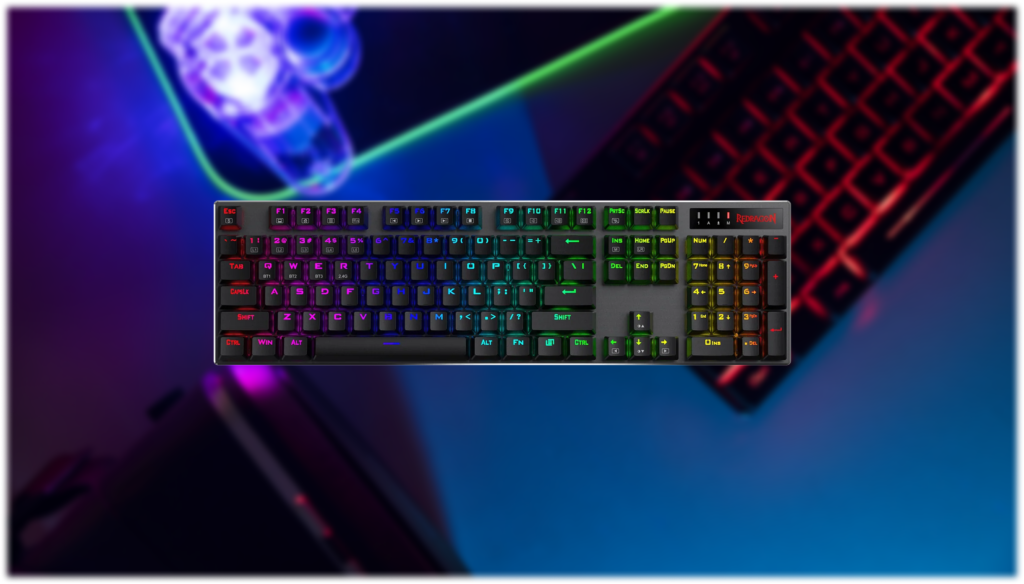
The Redragon K556 PRO is priced starting at $78.99 and comes in a full-size 104-key layout. It features a brushed aluminum build, tri-mode connectivity via USB-C, Bluetooth 3.0/5.0, and 2.4GHz wireless, along with hot-swappable sockets compatible with virtually all 3-pin and 5-pin switches. It ships with quiet linear red switches and per-key RGB lighting.
The most common complaint is the software. Redragon’s customization software only works in wired mode, which is a frustrating limitation on a keyboard that’s primarily sold on the strength of its wireless functionality.
Attack Shark X65H
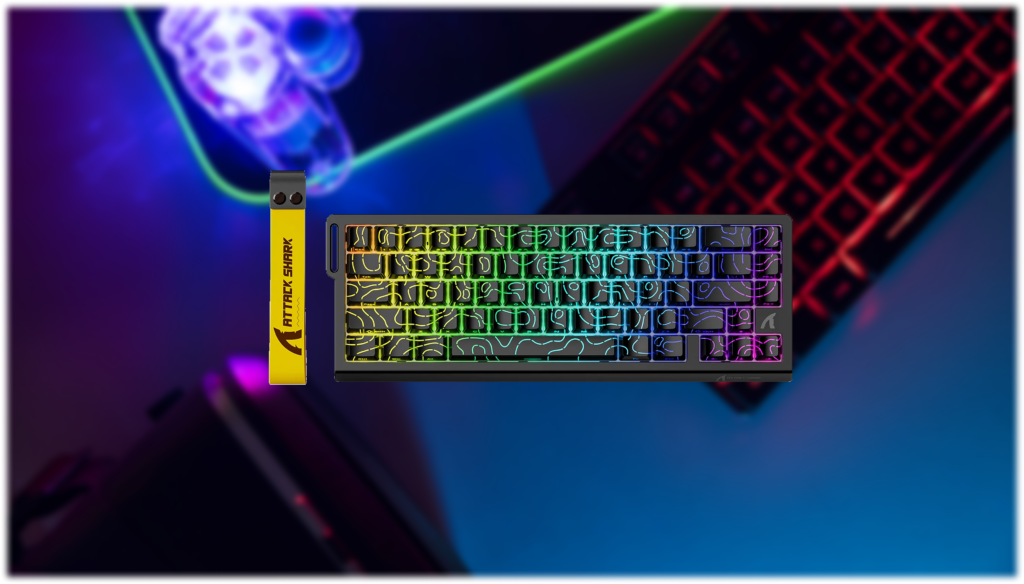
The Attack Shark X65H is a 65% wired keyboard priced at $59.49, featuring Hall Effect magnetic switches, hot-swappable sockets, PBT keycaps, south-facing RGB, full anti-ghosting, an 8000Hz polling rate, and a rapid trigger accuracy of 0.01mm with an adjustable actuation range from 0.1mm to 3.4mm.
The most notable downside is the software. The driver is web-based rather than a dedicated application, and some users have reported that it defaults to Chinese with difficulty switching to English. It’s not a dealbreaker, but it’s worth knowing going in.
AULA F99 Pro Wireless
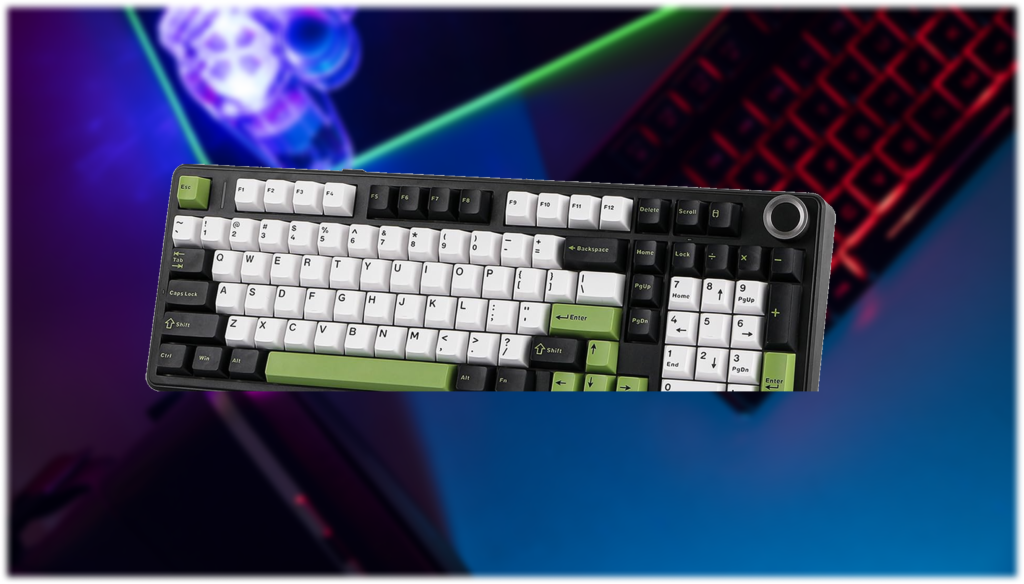
The AULA F99 Pro is a 96% wireless keyboard that comes with pre-lubed LEOBOG Greywood linear switches, hot-swappable sockets supporting 3-pin and 5-pin switches, side-printed PBT keycaps, RGB backlighting, tri-mode connectivity via Bluetooth 5.0, 2.4GHz, and USB-C, and an 8000mAh battery. It’s priced at around $73.
The most common complaint is the software. While onboard controls let you adjust RGB and remap some keys, the customization options are limited compared to keyboards with VIA or QMK support.
Final Words
Budget gaming keyboards have come a long way, and the options on this list are a solid proof of that. Whether you’re after a simple and reliable full-size keyboard, a compact 60% layout, or something with more advanced features like Hall Effect switches, there’s something here for most budgets and preferences.
That said, every keyboard on this list comes with its own set of trade-offs, so it’s worth going back through the entries and picking the one that lines up best with what you actually need, rather than just going for the cheapest or most feature-packed option.